Ask anyone who fishes, surfs or kites what they check before they book. It is not your rates page. It is the forecast, usually on someone else’s app, usually more than once.
So we built a forecast that lives on the business’s own website. It is called fs-conditions, and you can try it on our own ocean forecast page for Umtentweni and Melkbosstrand. What you see there is exactly what goes on a client’s site, in the client’s colours instead of ours.
What it shows
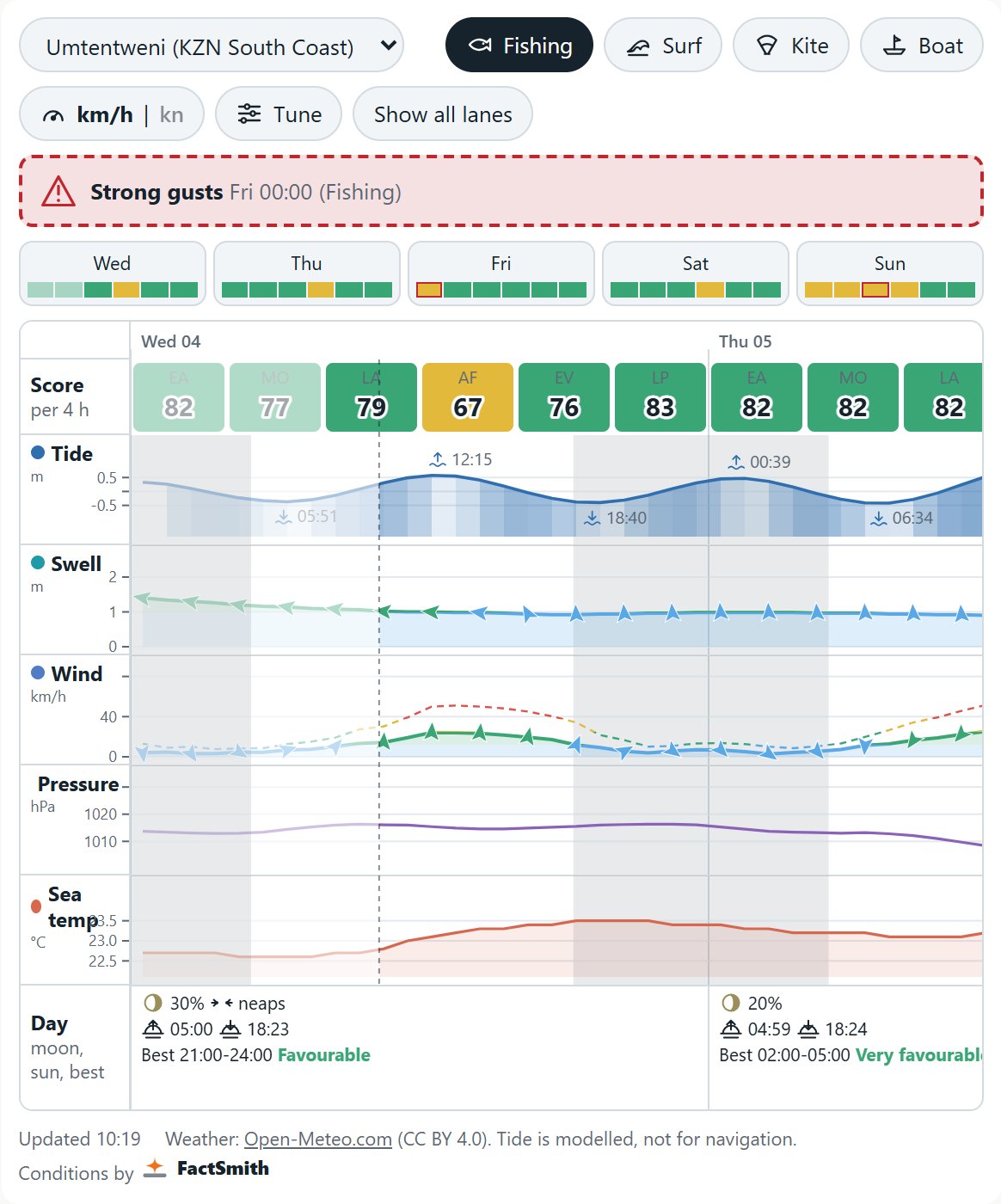
The main chart covers the next five days in four-hour windows. Each window gets a score from 0 to 100 for the activity the visitor picked: fishing, surf, kitesurf or boat launch.
Under the score sit five lanes: tide, swell, wind, pressure and sea temperature. Wind and swell are coloured by strength, with small arrows on the line for direction. Where we have a local normal for the spot and month, a shaded band shows the usual range, so an unusual reading stands out.
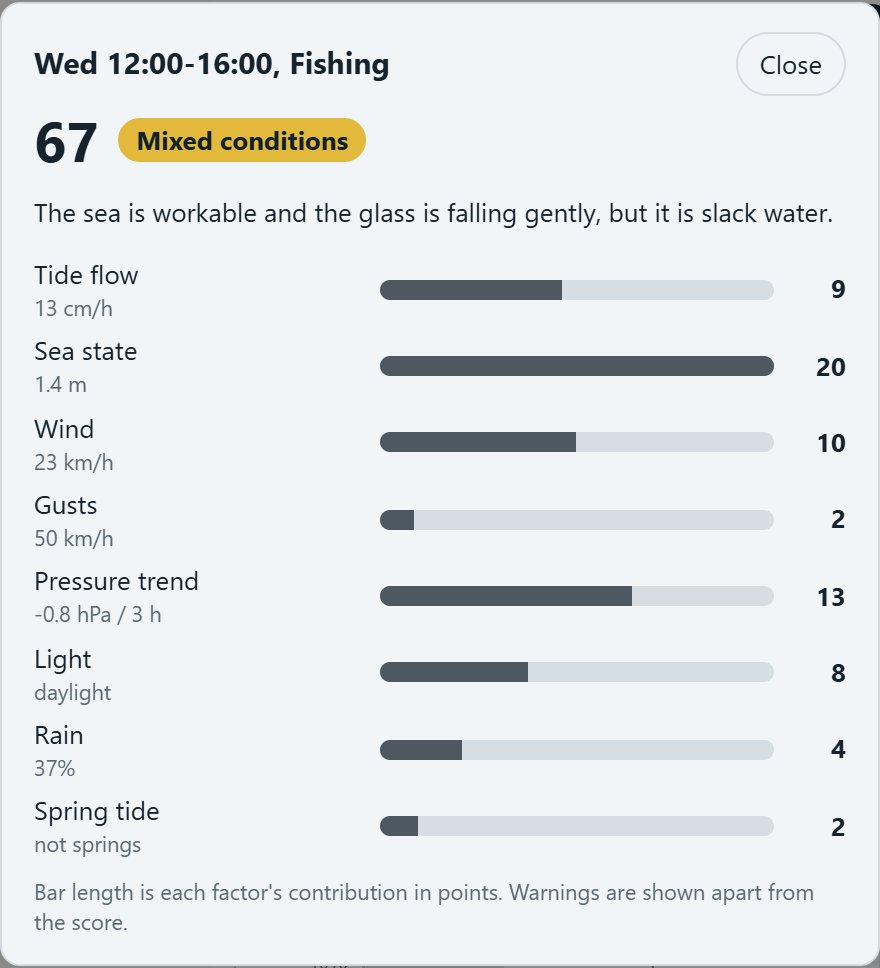
Tap any window and a panel explains why it scored as it did, factor by factor. Visitors who disagree with our weighting can open Tune, move the sliders and watch the scores change. Each day also shows its best window, the moon phase, springs or neaps, and sunrise and sunset.
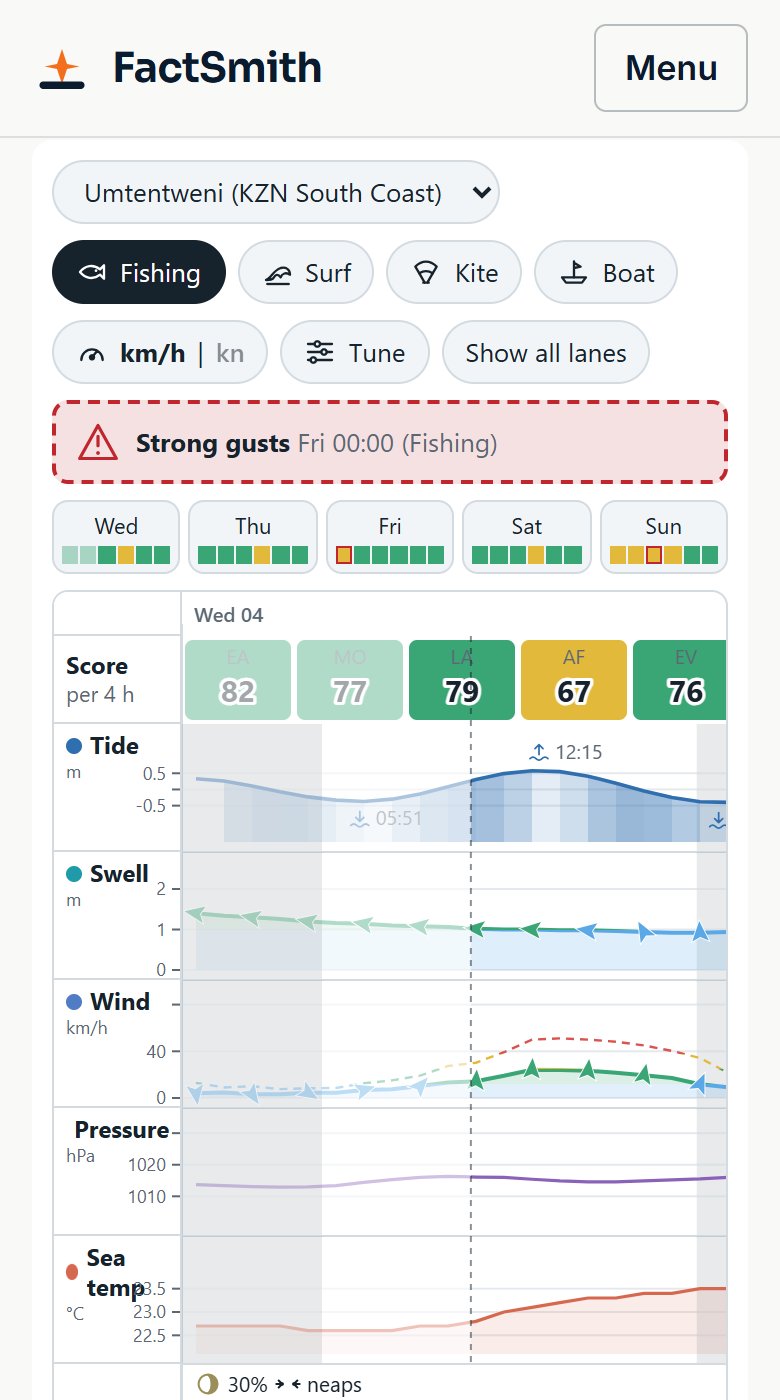
Safety warnings are kept apart. A big sea on the rocks, strong gusts, an offshore wind for kiters or thunder in the area each show as their own warning, above the chart. They are never folded into the score, so a good-looking number cannot hide a bad risk.
Why guests come back
A forecast changes every day, so there is always a reason to open the page again. Someone planning a trip to the coast looks at it a week ahead, again three days out, and again the night before. Each visit lands on your site, next to your rates and your contact details, and not on a stranger’s app.
It also helps people pick the right day. A guest who can see that Thursday looks better than Saturday books Thursday, and arrives to a better day on the water. A B&B or lodge can use the same page to help a guest decide when to plan the beach and when to plan something else.
We have not measured a lift in bookings yet. The reason it should help is simple: people who check conditions are people who are about to book.
What it is and what it isn’t
- The score is a rule of thumb, set by hand with local knowledge. It is not a promise of fish or waves, and it is not a safety rating.
- The tide is modelled. It is good for planning a day, and it is not for navigation.
- The forecast data comes from Open-Meteo, published under CC BY 4.0, and the widget credits it.
- It copes with patchy signal. If the connection drops, it keeps showing the last forecast and says how old it is. When the forecast is too old, it hides the scores and warnings rather than show stale ones.
The sea is only so predictable. The sliders and the “why” panel are there so nobody has to take the number on trust.
How it fits your site
It takes the site’s own colours and fonts, so it looks like part of your page and not a widget bolted on. There is no app to install and no sign-up. It works on a phone, which is where most of your visitors will open it. Every embed carries a small “Conditions by FactSmith” credit.
It is an add-on to every FactSmith Sites package, built for small hospitality and outdoor businesses on the KZN South Coast and beyond: R4 000 setup, then from R1 950 a month, because each site gets its own paid weather data plan, managed by us. Fishing charters, surf and kite schools, B&Bs and coastal lodges each choose the activities that matter to them. Details and prices are on the Conditions forecast page. What is already built and what is still planned is listed on the ocean forecast page.
Want a conditions page on your own site? Book a 30-minute call, see the Conditions forecast add-on, or get in touch.
Forecast data: Open-Meteo, CC BY 4.0. Scores are a guide, not a guarantee, and the modelled tide is not for navigation. On client sites the forecast data runs on a commercial subscription with our data provider, which FactSmith arranges and manages and which is included in the monthly fee.